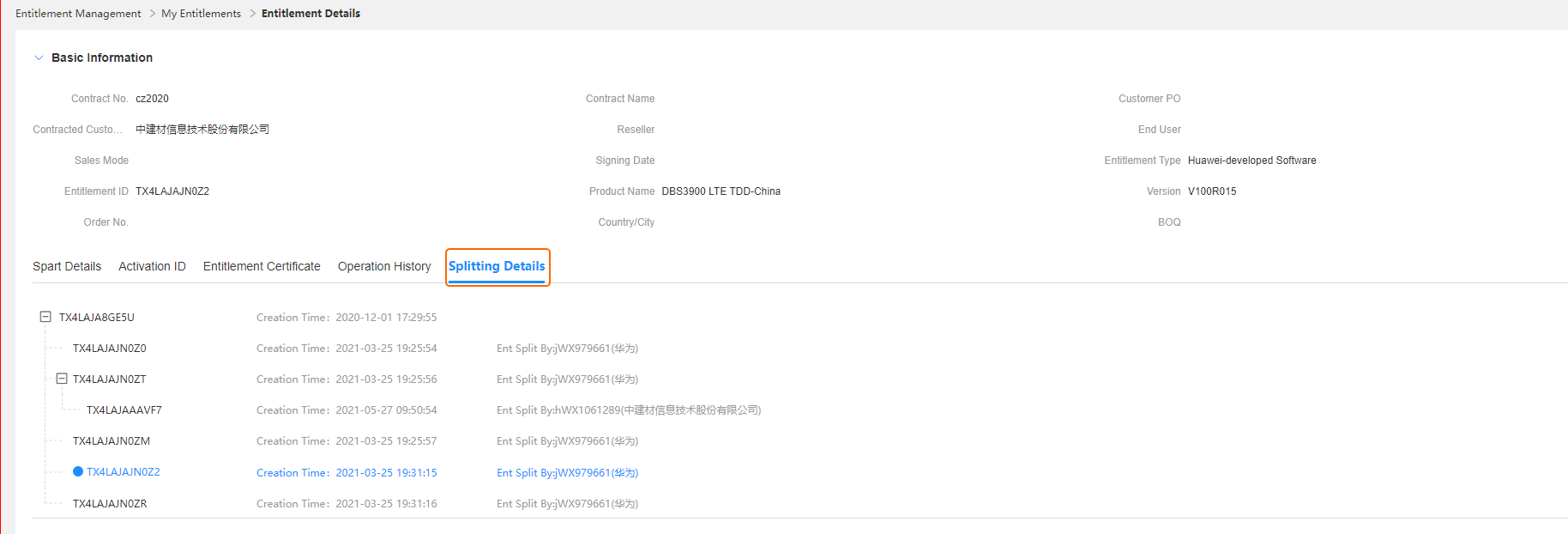
Entitlement Split
Applicable scenarios:
The configuration quotation phase adopts the summary quotation mode because the site deployment is unclear. Partners at all levels can split the authorization based on actual delivery conditions.
Example: In the business distribution scenario, partners at all levels can split the authorization by item code based on the requirements of different customers in the frontline sales and delivery, generate new authorization, and distribute the authorization.
Business rules:
You can split an entitlement only when the entitlement type is Huawei-developed software which is not yet activated. Note that the entitlement of third-party software cannot be split.
The original entitlement cannot be split into null values and cannot be reversed after the split.
Procedure:
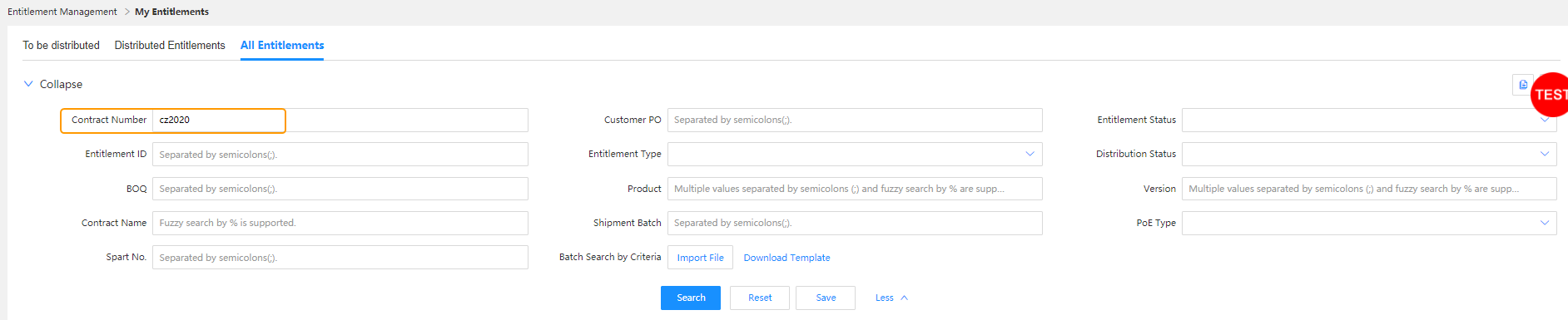
Step 1: Enter a contract number and other required information, and click Search.
Path: Home Page >My Entitlements >All Entitlement
Note: Search criteria that are frequently used can be saved as a template.For details, see Search Template.
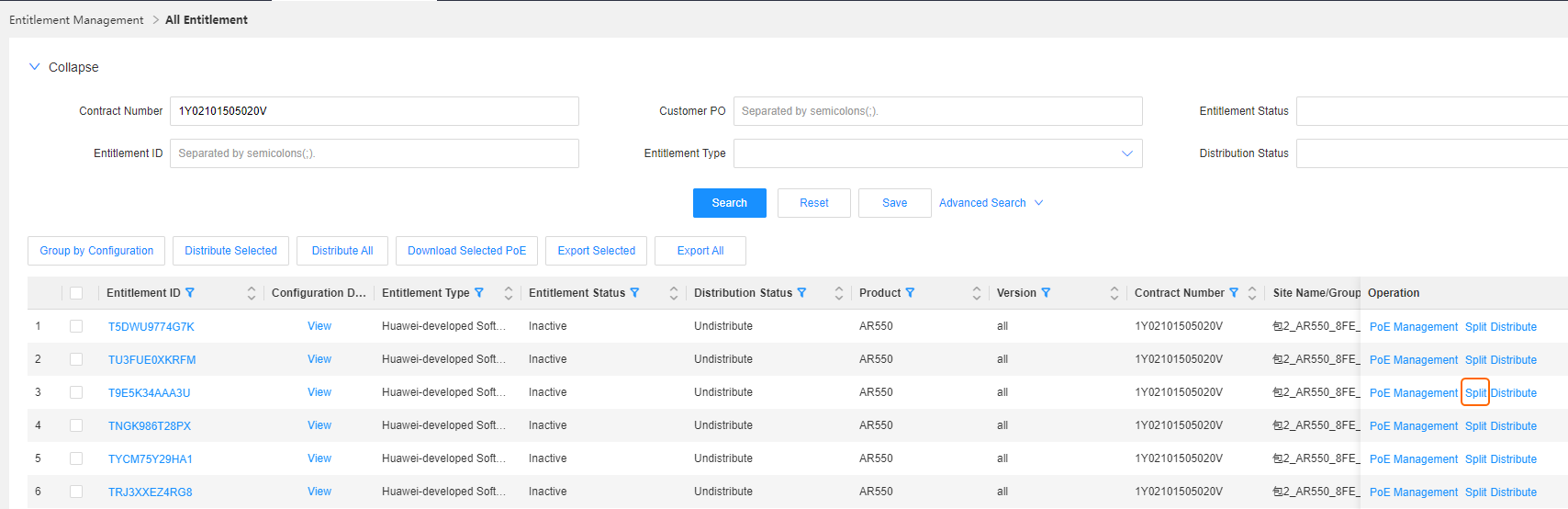
 Step 2: Click Split in the Operation column.
Note: For entitlements that meet the split criteria, the Split button is displayed in blue and clickable. For entitlements that do not meet the criteria,however, the Split button is displayed in gray and not clickable.
Step 3: Set a split value and click OK. You can split an entitlement to a specified number of new entitlements or by part.
Note: If there are multiple entitlement groups, click Add Entitlement Group.Generally, entitlement groups are split by site. To delete an entitlement group,click
 . You can click Save as Draft to save the data temporarily. If you need to split an entitlement into multiple entitlements with the same criteria, enter the number of new entitlements.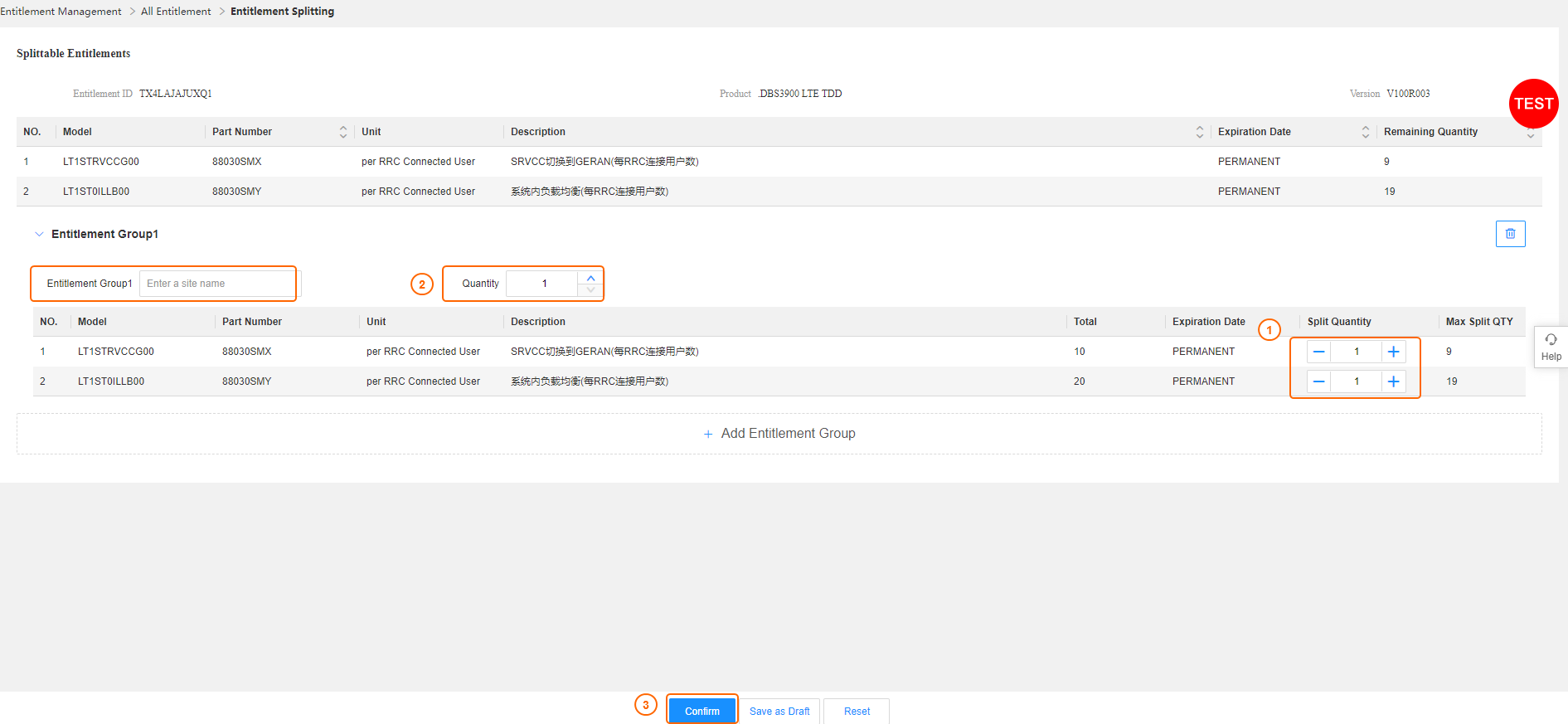
Step 4: Click Entitlement ID to view the splitting result.